Download Warnings Explained
Your safety is our priority. On this page, we have explained all the download warnings you may encounter when installing Lisanify. Here's exactly what those warnings mean and how to proceed with confidence.
Chrome Download Warning
You see: "This file type can harm your computer"
Why It Appears
Chrome shows this warning because the Lisanify installer isn't signed with a commercial code-signing certificate. This is completely normal for new applications and doesn't mean the software is unsafe.
💡 Think of it like a passport: New countries issue passports, but they don't automatically get accepted everywhere until they're established.
Step-by-Step Guide
Click the warning popup
You'll see "This file type can harm your computer"
Click "Keep" button
If prompted, confirm that you want to keep the file
Download completes
No more warnings – file is ready to install
Windows SmartScreen
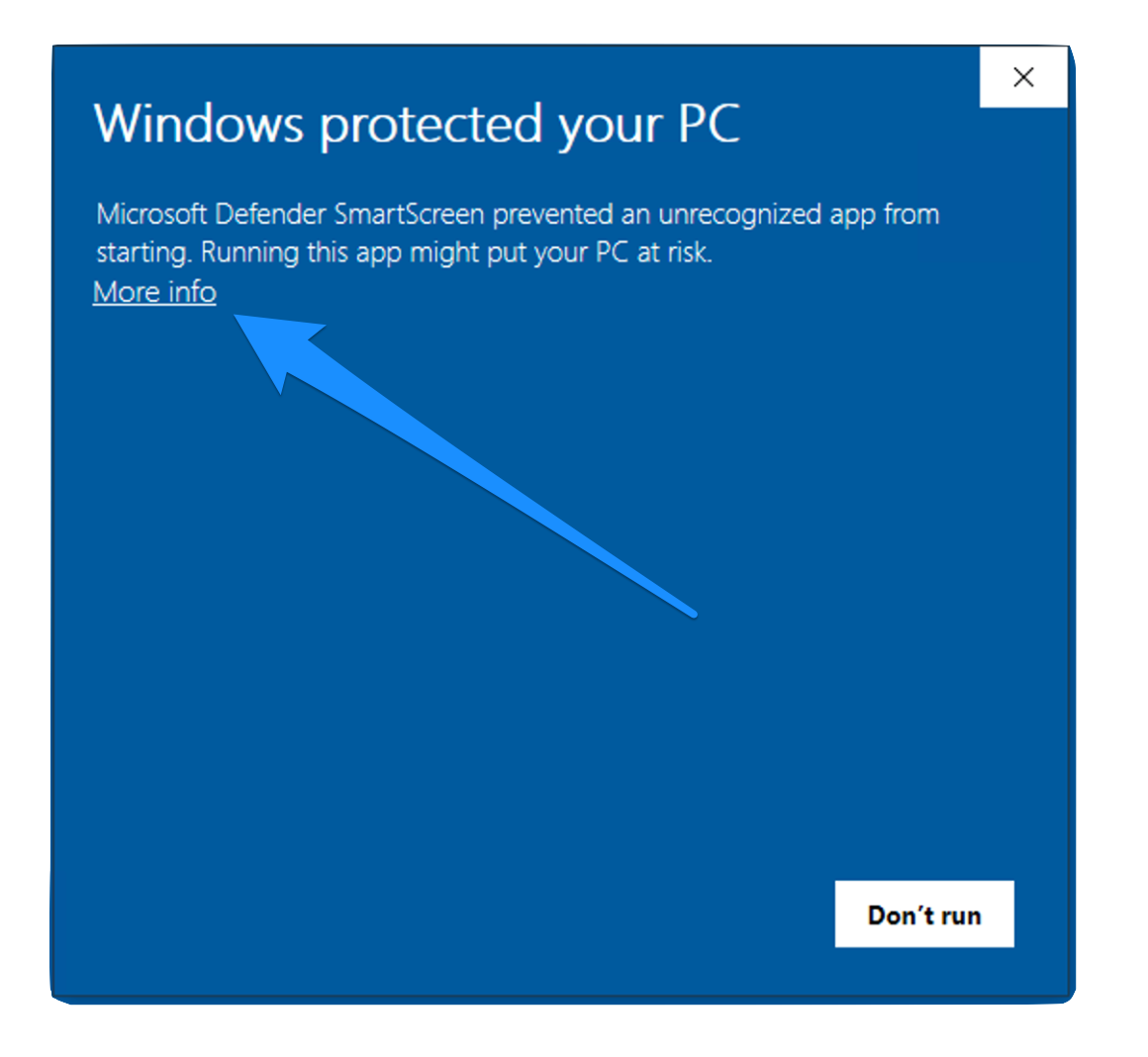
You see: "Windows protected your PC"
Why It Appears
Windows SmartScreen is a security feature that warns about applications that aren't widely recognized yet. As more users download Lisanify, this warning automatically disappears. Many reputable applications (including Microsoft's own apps) showed this warning when first released.
✓ This is a reputation warning, not a security threat. Lisanify has passed all security scans.
Step-by-Step Guide
SmartScreen popup appears
"Windows protected your PC - Microsoft Defender SmartScreen prevented an unrecognized app"
Click "More info"
More details will appear below the button
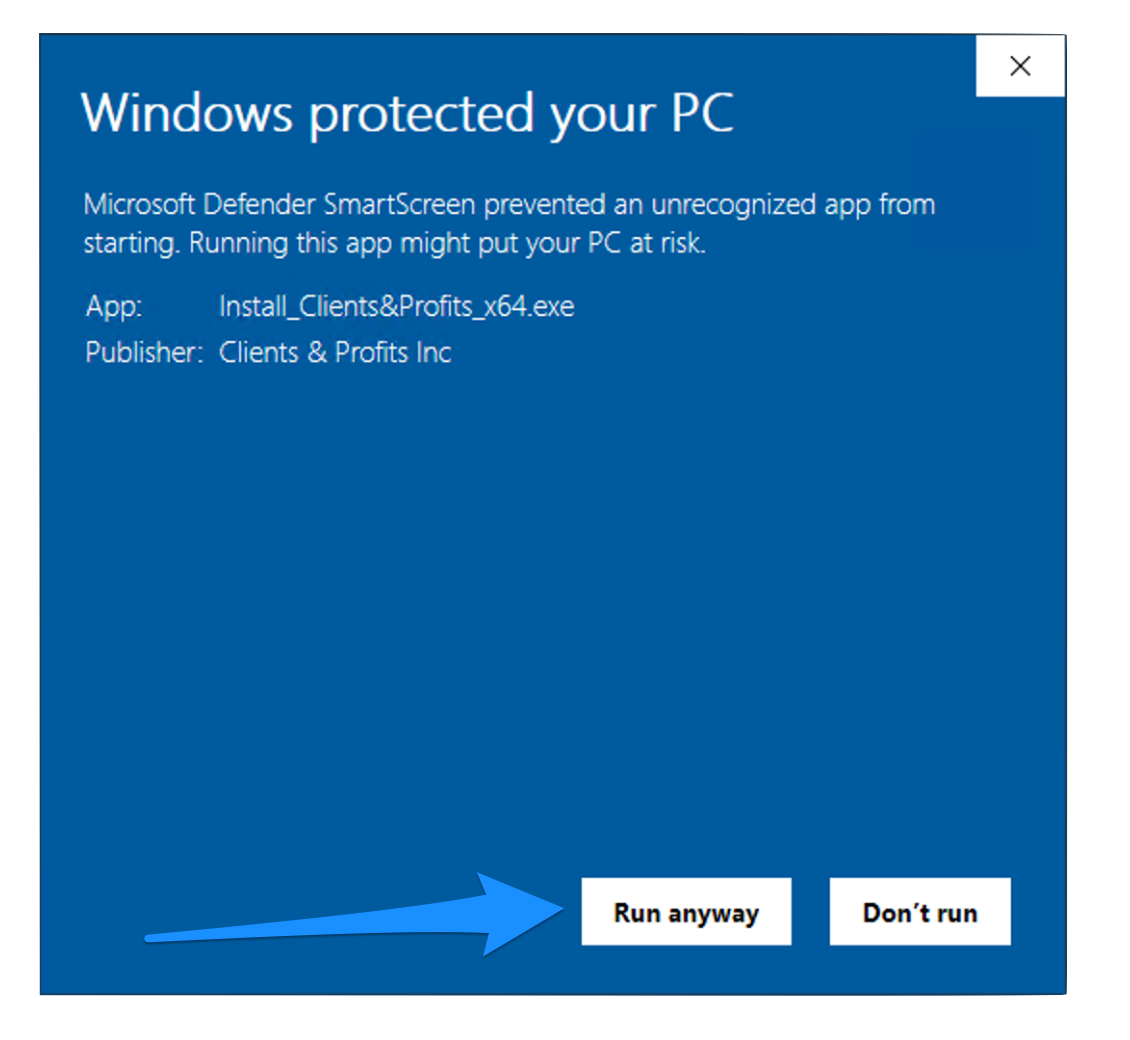
Click "Run anyway"
The installation will proceed normally
Why Lisanify Is Safe
🔒 Offline-First
Runs completely on your machine. No cloud uploads, no data collection.
♾️ No Subscriptions
One payment, lifetime access. No recurring charges, no telemetry.
👨💻 Professional Team
Built by experienced developers following security best practices.
🔓 Open Source Roadmap
We plan to open-source Lisanify so you can verify the code.
Verified Clean by Jotti's Malware Scan
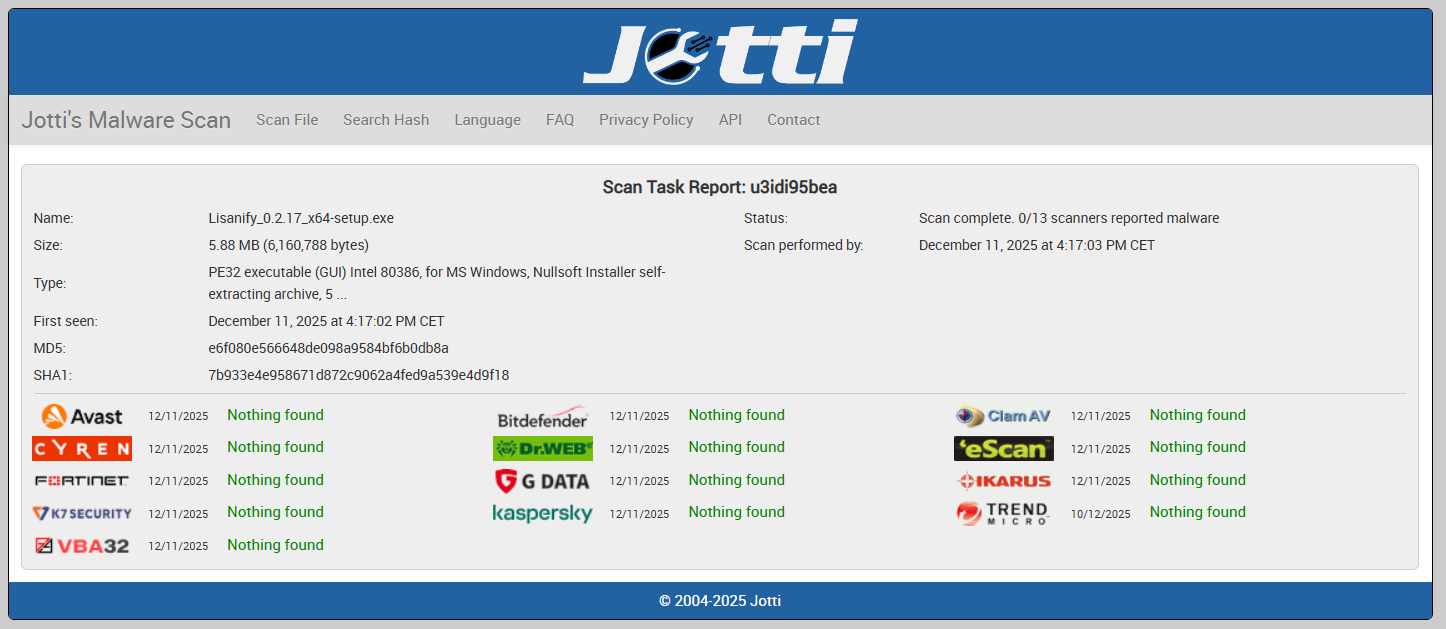
Scan result from Jotti's Malware Scan showing 0/14 security vendors flagged this file as malicious.
Frequently Asked Questions
Do these warnings appear every time I launch Lisanify?
No. These warnings only appear during the initial installation. Once Lisanify is installed, it launches normally without any warnings.
Will these warnings disappear over time?
Yes. As Lisanify gains more users, both Chrome and Windows will automatically reduce these warnings. Many established applications still show them initially.
Does Lisanify ever upload my documents to servers?
Never. Your documents stay on your computer. Internet is only needed for license activation and optional AI translation features (and you control when those run).
When will Lisanify have a code-signing certificate?
Code signing is on our roadmap. It requires an annual investment that we're planning for upcoming releases. This doesn't affect your safety – it's purely to eliminate these warnings.
Still have concerns? How can I get help?
Absolutely! Contact us – we're happy to discuss security, answer questions, or address any concerns about Lisanify.
Understanding Software Security Warnings
Download warnings are a standard part of modern operating systems' security infrastructure. Both Windows and web browsers like Chrome, Firefox, and Edge implement these warnings to protect users from potentially harmful software. However, it's important to understand that these warnings don't necessarily indicate that software is dangerous.
The warnings you see when downloading Lisanify are reputation-based warnings, not malware detections. This means the operating system simply hasn't seen the software enough times to build trust. As more users download and use Lisanify, these warnings will naturally decrease and eventually disappear entirely.
The Difference Between Warnings and Threats
It's crucial to distinguish between reputation warnings and actual security threats. When antivirus software detects malware, it typically quarantines or blocks the file entirely. The warnings you see for Lisanify allow you to proceed with installation – they're informational notices, not security blocks.
Our commitment to transparency means we want you to fully understand what these download warnings mean. We've provided the virus scan results above to demonstrate that Lisanify has been thoroughly checked by multiple security vendors and found to be completely safe.
Our Security Commitment
At Lisanify, we take security seriously. Our application is built with privacy-first principles, operates offline by default, and never collects your personal documents or translation data. We're working toward code signing certification and plan to open-source our codebase, allowing anyone to verify the security and integrity of our software.